1
Create your account
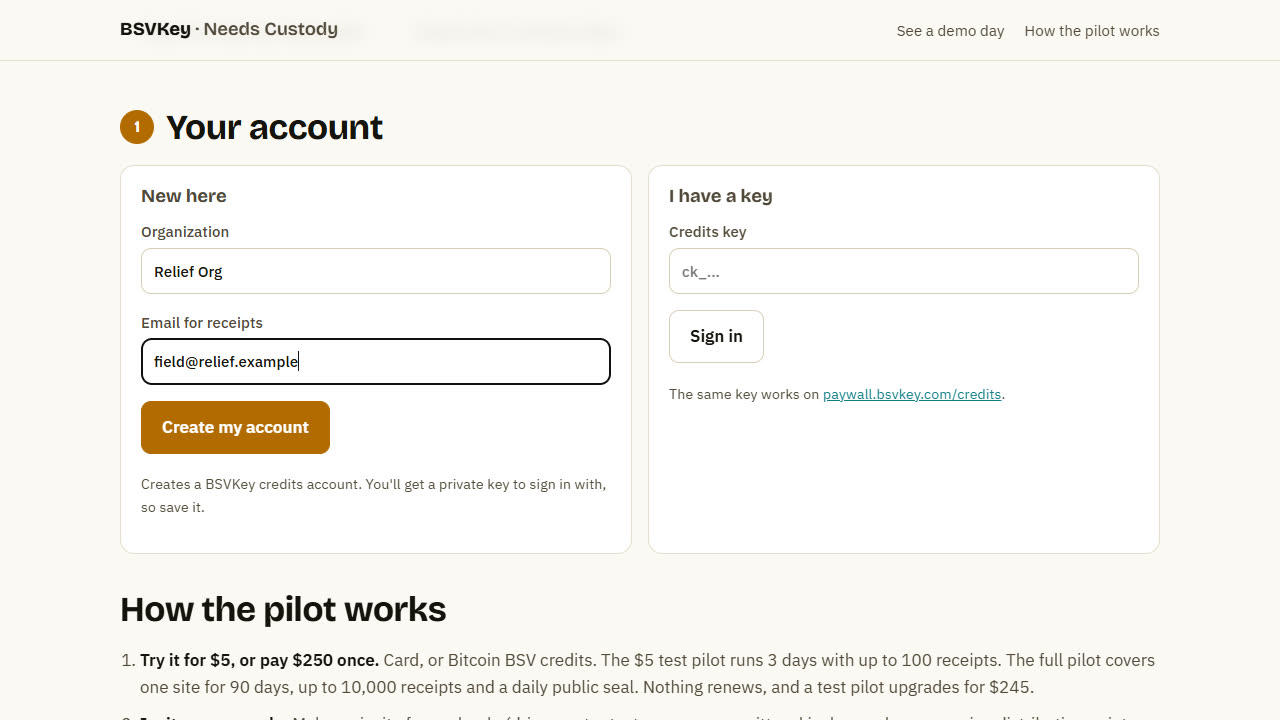
Go to needs.bsvkey.com/pilot. Under New here, enter your organization and an email for receipts, then press Create my account.
Pilot guide · about 10 minutes to set up
Everything you need to go from nothing to a live, public record of water, food and aid at your site. Start with a $5 test pilot. You can upgrade it later without starting over.
With narration. The video was recorded on a test copy, so its public seal is simulated. On needs.bsvkey.com every seal is a real Bitcoin BSV transaction.
1
Go to needs.bsvkey.com/pilot. Under New here, enter your organization and an email for receipts, then press Create my account.
2
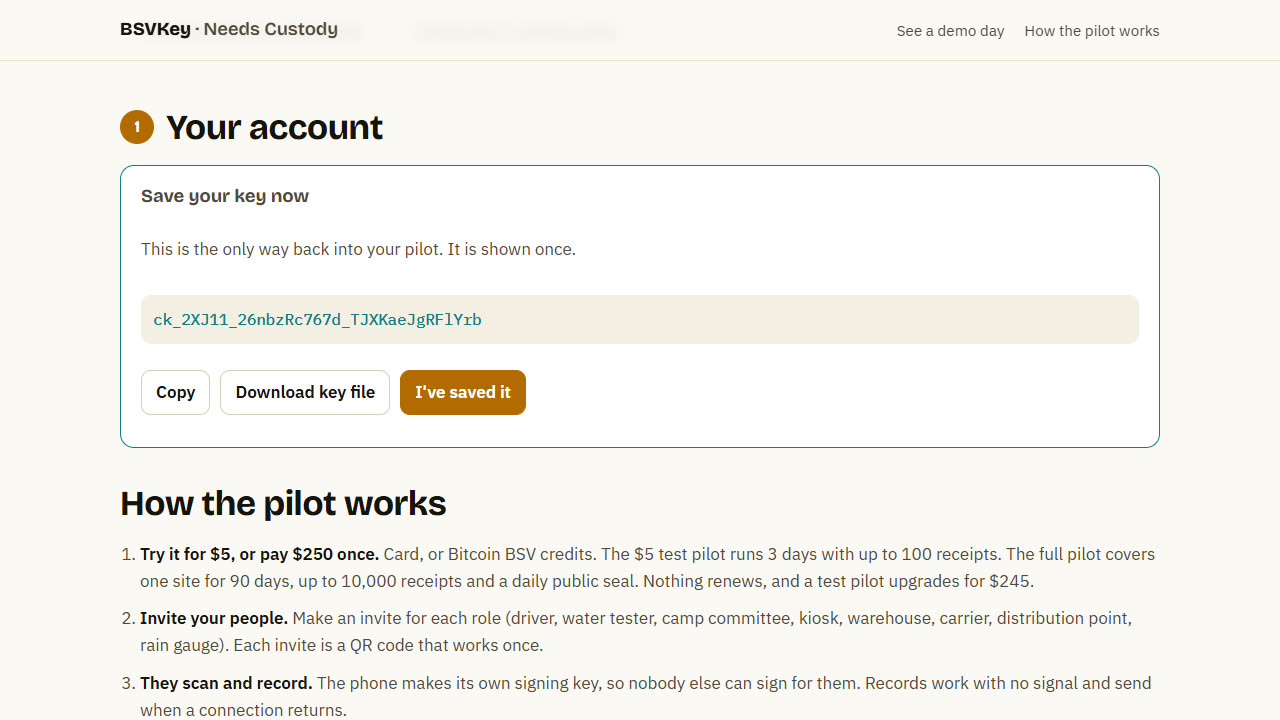
You'll see a key that starts with ck_. It's the only way back into your pilot, and it's shown once. Press Download key file or Copy, keep it somewhere safe, then press I've saved it.
Next time, sign in under I have a key with the same key.
3
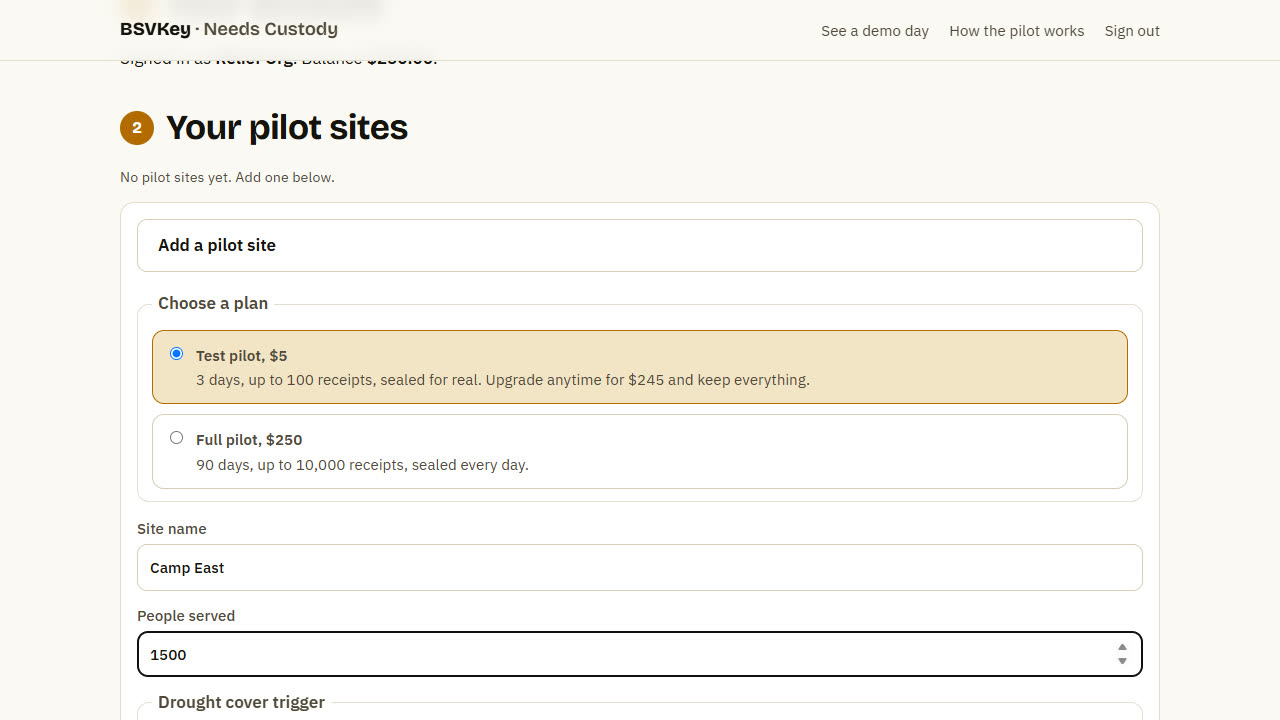
Press Add a pilot site. Choose:
Give the site a name and the number of people it serves. The drought settings can stay as they are unless you have your own trigger.
4
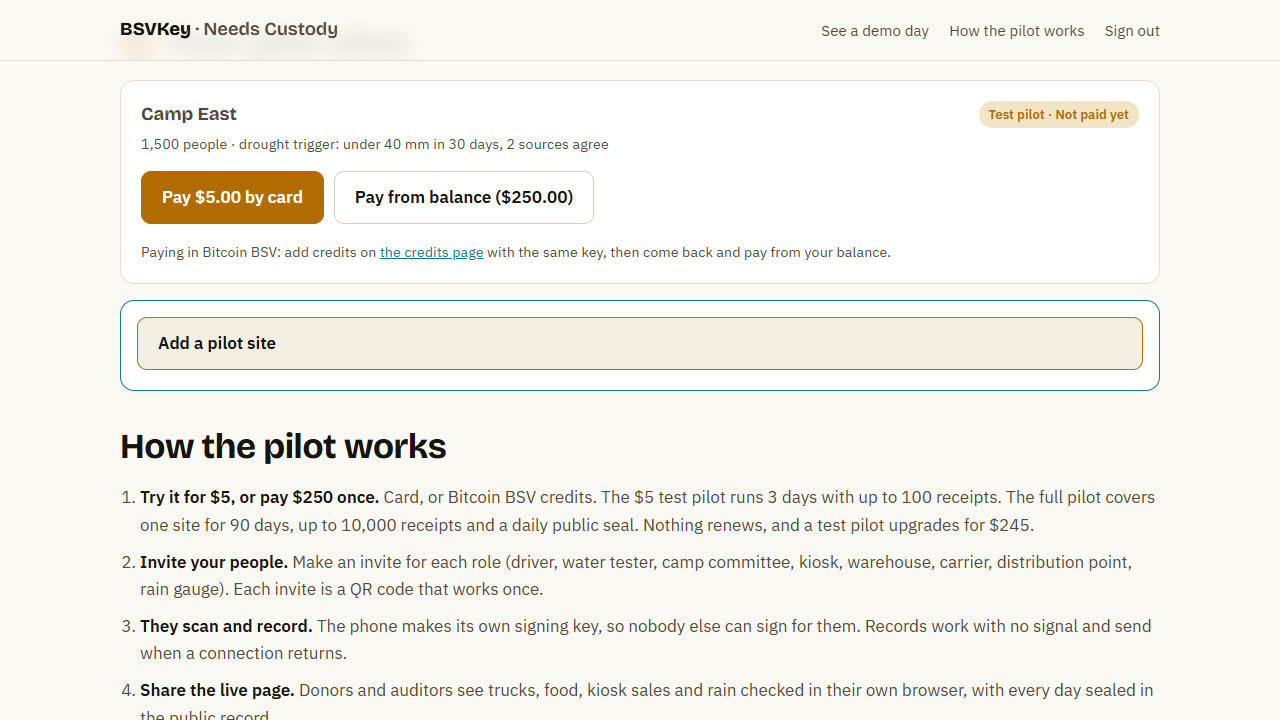
By card: press Pay by card and finish on the secure card page. You come back to a running pilot.
In Bitcoin BSV: open the credits page, sign in with the same key, add credits in BSV, then come back and press Pay from balance.
5
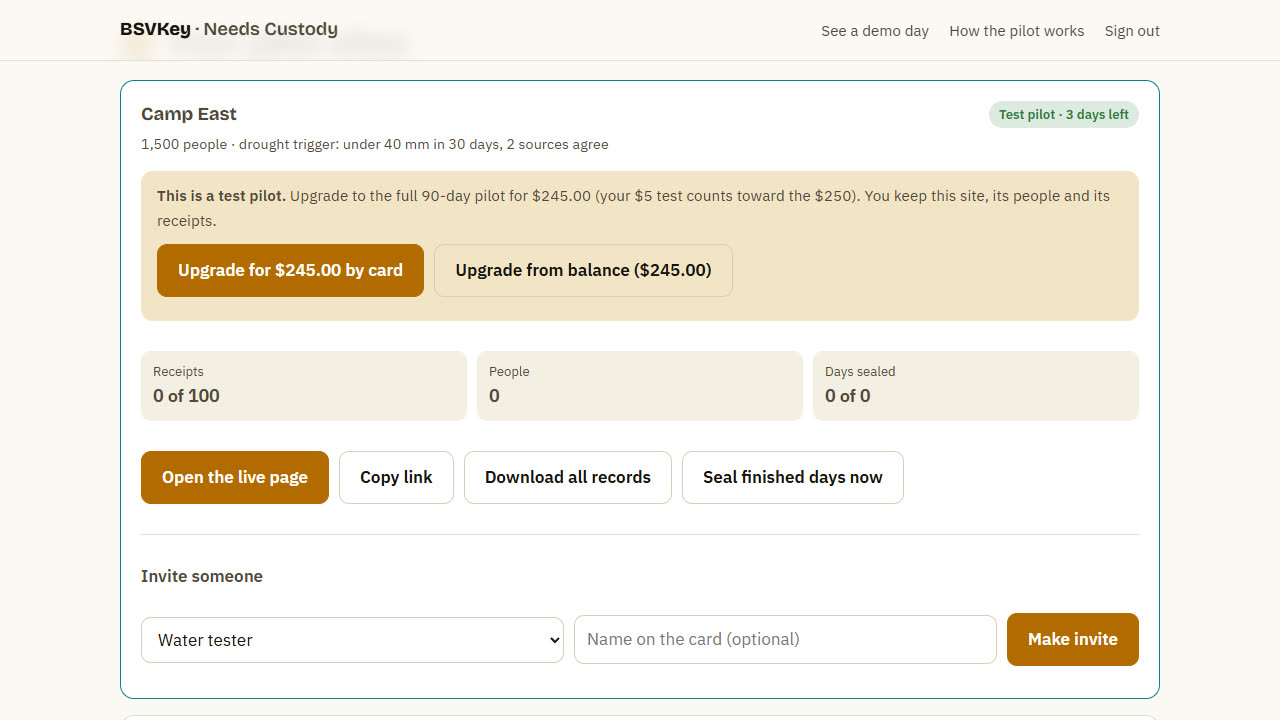
The site shows how many days are left, receipts used, people and sealed days. On a test pilot, Upgrade turns it into the full 90-day pilot for $245: the $5 you paid counts toward the $250 for 30 days, and you keep the site, its people and its receipts.
6
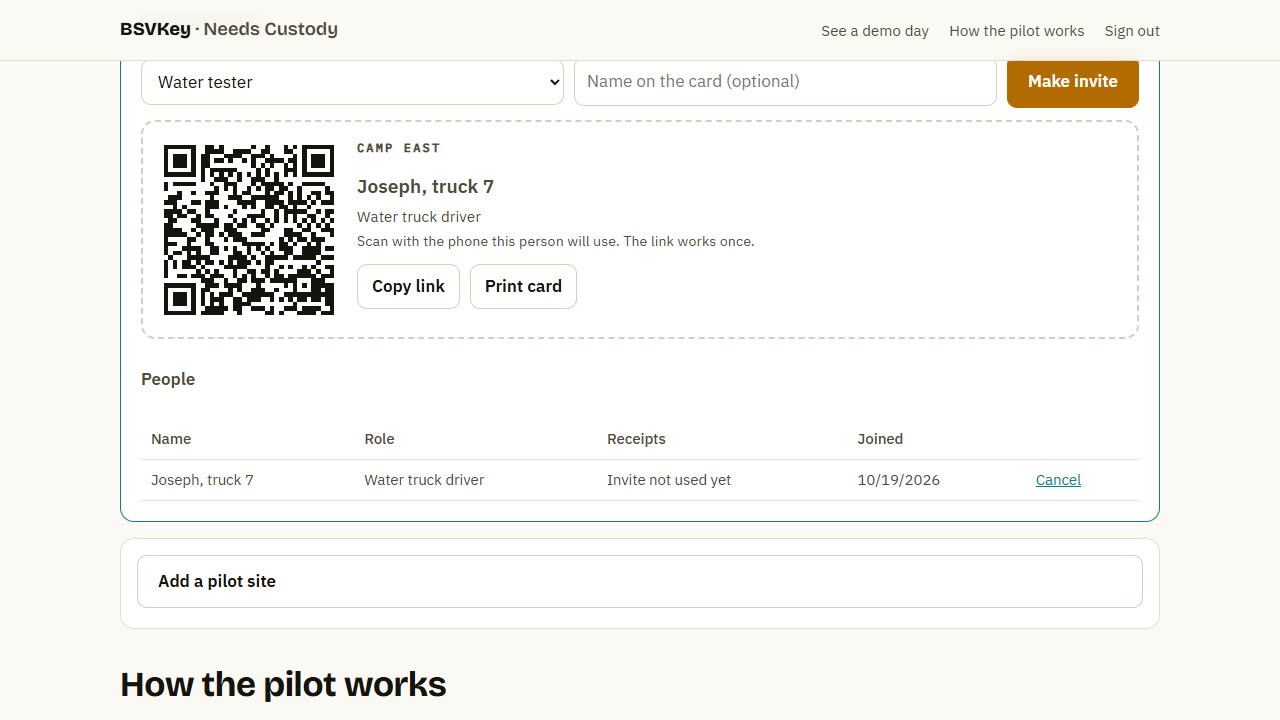
Under Invite someone, pick a role, type the name to show on the card, and press Make invite. Print the card or copy the link and send it privately. Each invite works once, on one phone. Make one invite per person.
The live page is public, so use a first name or a role on the card ("Driver, truck 7"), not a full name.
7
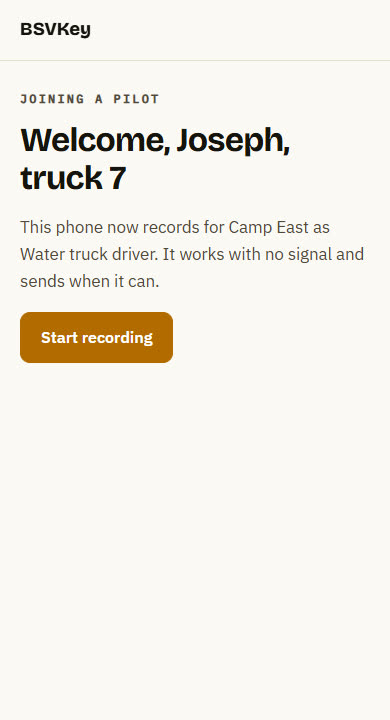
They scan the QR code with their phone's camera. The phone makes its own signing key, which never leaves the phone, so nobody else can sign records as them. They press Start recording, and it's best to add the page to the home screen.
Lost or replaced phone? Remove the person on your console and make a new invite. Records already sent stay.
8
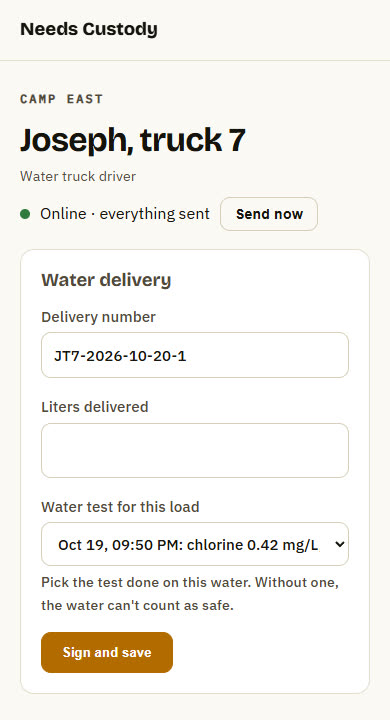
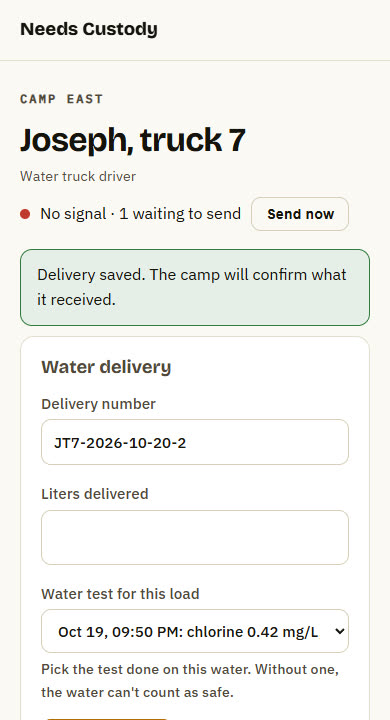
Each phone shows only the form for its role. The driver enters liters and picks the water test for that load, then presses Sign and save.
With no signal the dot turns red and the record waits on the phone. When a connection returns it sends by itself, and the dot turns green.
9
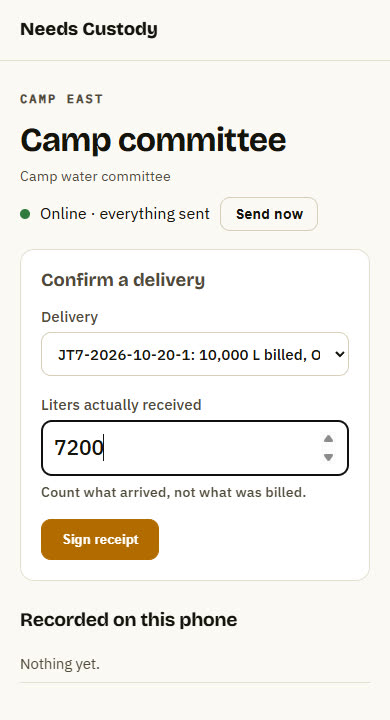
The camp committee picks the delivery and enters the liters that actually arrived. If the truck billed 10,000 L and 7,200 L arrived, the gap is now on the record, signed by both sides.
10
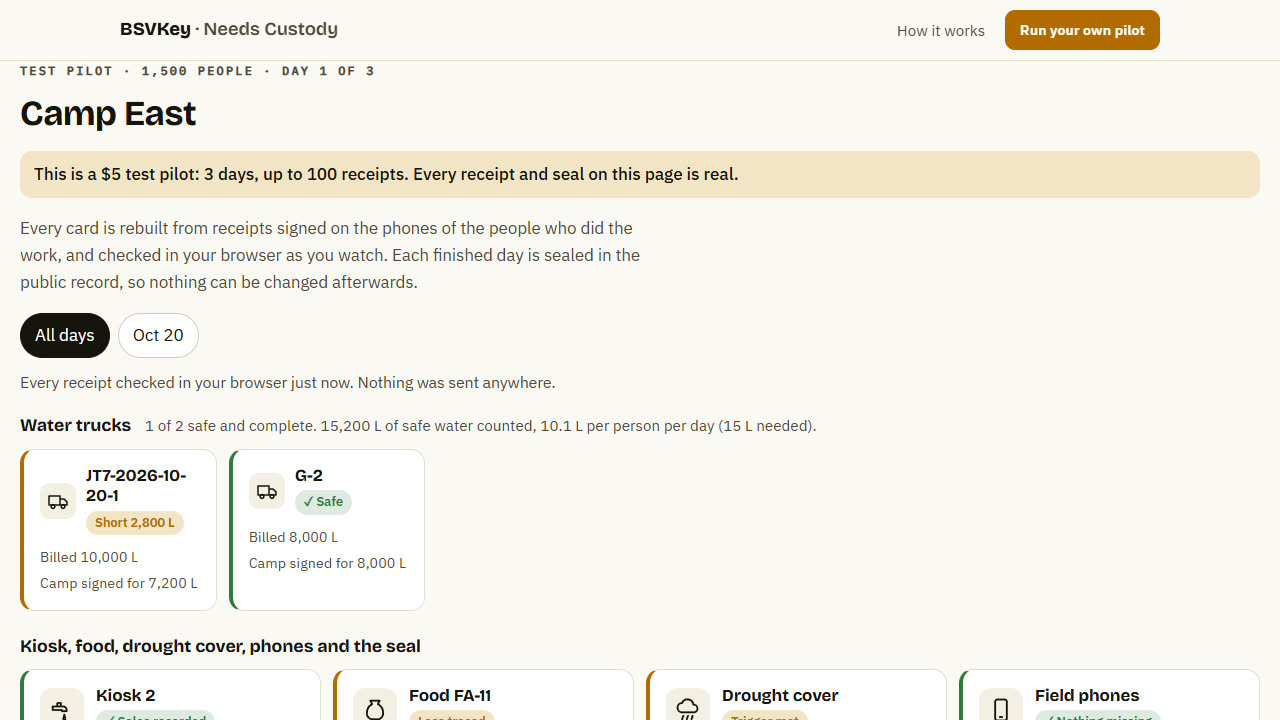
On your console, press Open the live page or Copy link. Send it to donors, auditors or your board. They see every truck, kiosk sale, food consignment and rain reading, checked in their own browser. Short deliveries, unsafe water, missing food and double claims are flagged automatically.
11
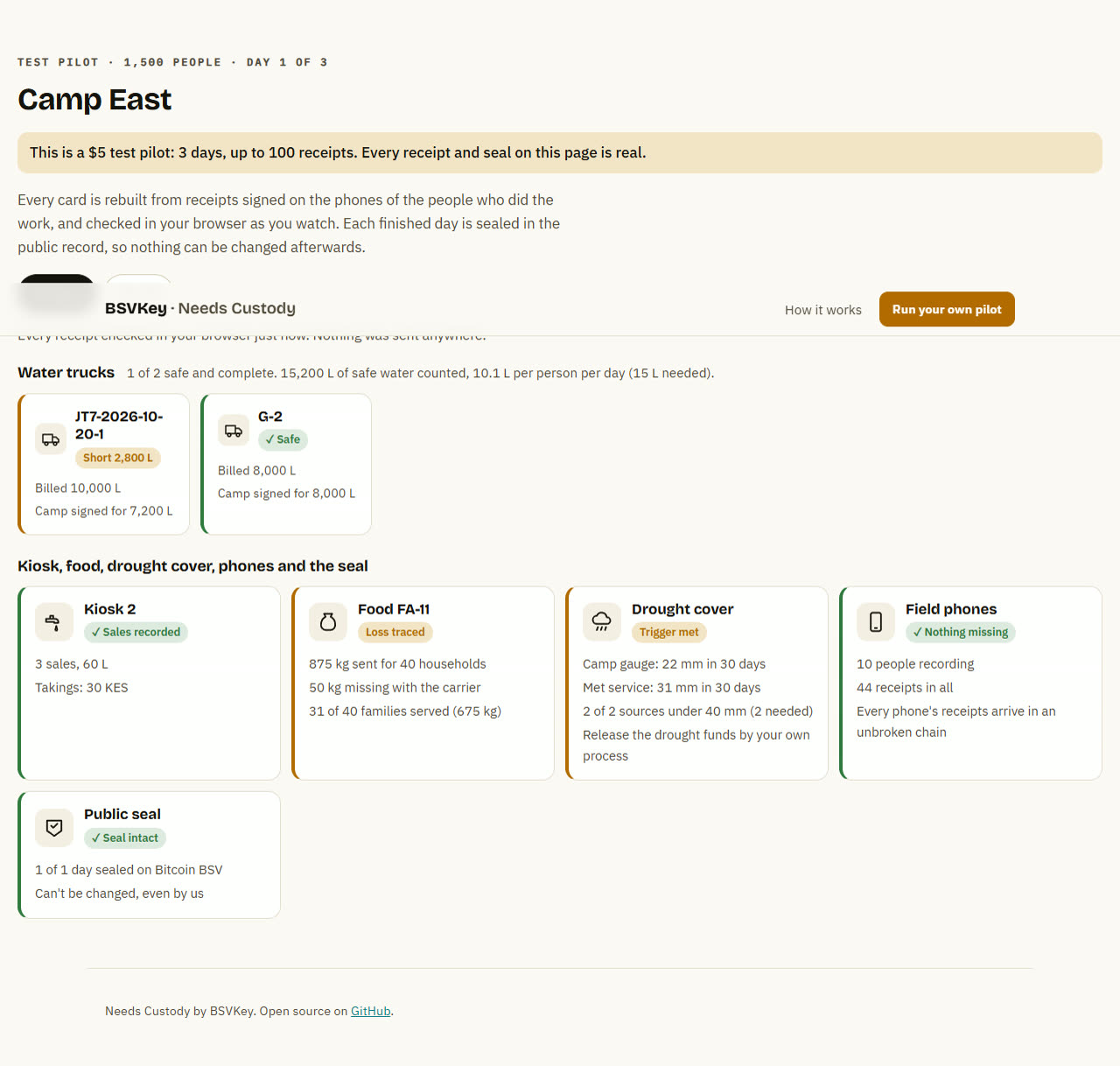
Once a day is over (midnight UTC), its receipts are sealed together in the public record on Bitcoin BSV the next time the live page is opened, or when you press Seal finished days now. After that, nobody can change them, including us. The Public seal card turns green once your browser has checked it. You can download all records at any time.
| Role | What they record | Shows up as |
|---|---|---|
| Water tester | Chlorine, cloudiness and bacteria for a water source or load | Whether each truck's water counts as safe |
| Water truck driver | Liters delivered and the test for that load | A truck card per delivery |
| Camp water committee | Liters that actually arrived | Safe, short or unsafe stamps, and liters per person per day |
| Water kiosk | Liters poured and price paid for each sale | Sales and takings per kiosk |
| Food warehouse | A consignment and its household list (card numbers become private codes on the phone) | A food card per consignment |
| Food carrier | Kilograms picked up from the warehouse | Any loss before or during transport |
| Food distribution point | Kilograms received, then each ration handed out by card number | Families served, double claims and unlisted cards |
| Rain gauge reader | Rain over your drought window from each source | Whether the drought trigger is met |
Start with a $5 test pilot. It takes about 10 minutes to set up.
Start a pilot